The helpdesk your customers actually like using
Tickets, SLAs, a knowledge base, payments and email-to-ticket in one self-hosted system. Sign in with a ready-made account and explore every role: administrator, supervisor, agent and client.
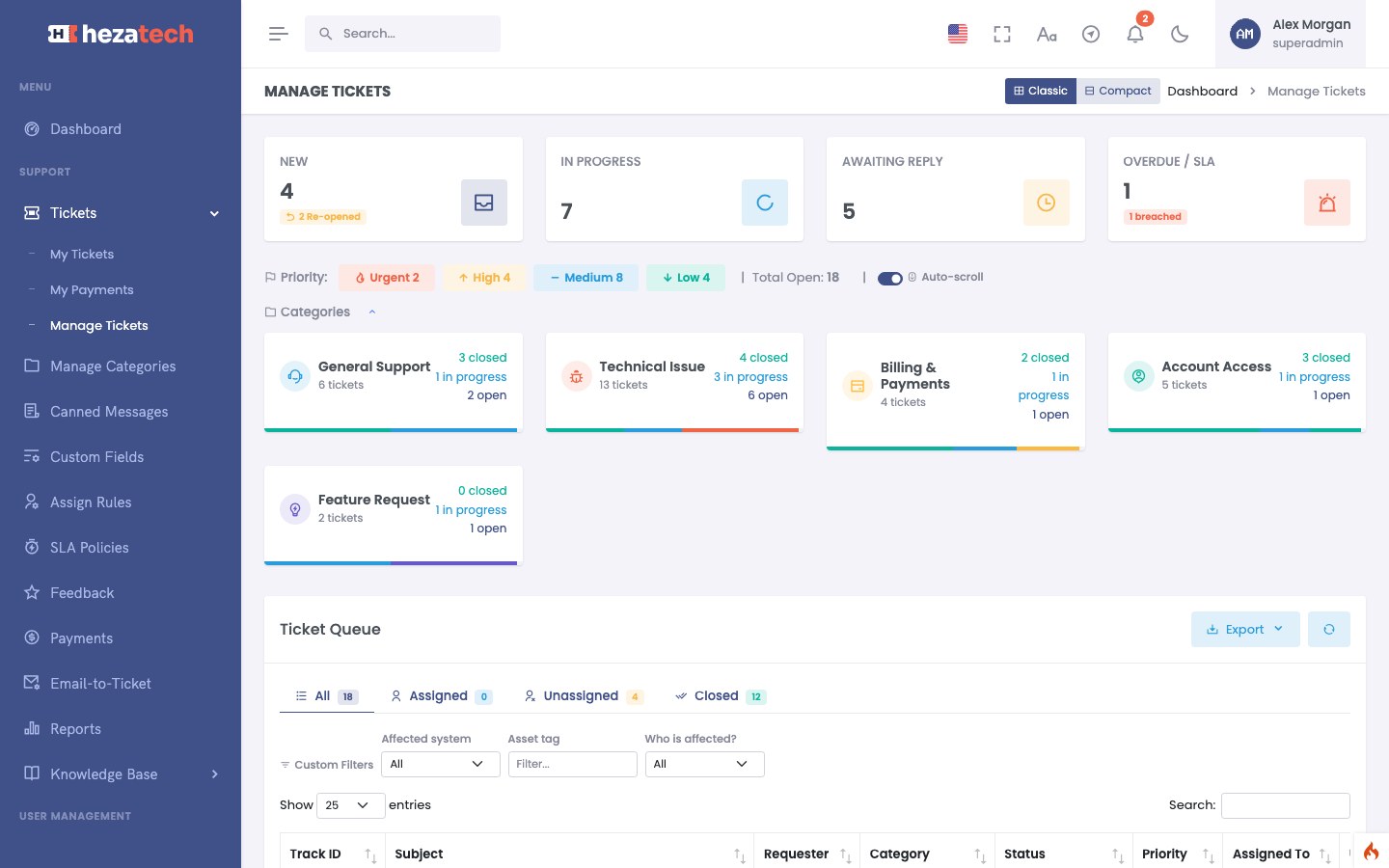
Everything a support team needs
Built for IT teams, software vendors, agencies and shops that take support seriously.
Ticketing
Categories, priorities, private notes, work logs, canned replies and custom fields, with automatic assignment rules.
SLA and escalations
Response and resolution targets per priority, business hours, escalation rules and a breach report.
Email-to-ticket
Mailboxes turn incoming email into tickets and keep replies threaded on the same conversation.
Knowledge base
Public and portal articles with search, categories and voting, so customers find answers first.
Payments
Request a payment on a ticket, collect it by card or PayPal, refund it and send the receipt.
AI assist
Rewrite, translate and summarise replies or get a suggested answer, under your own usage policy.
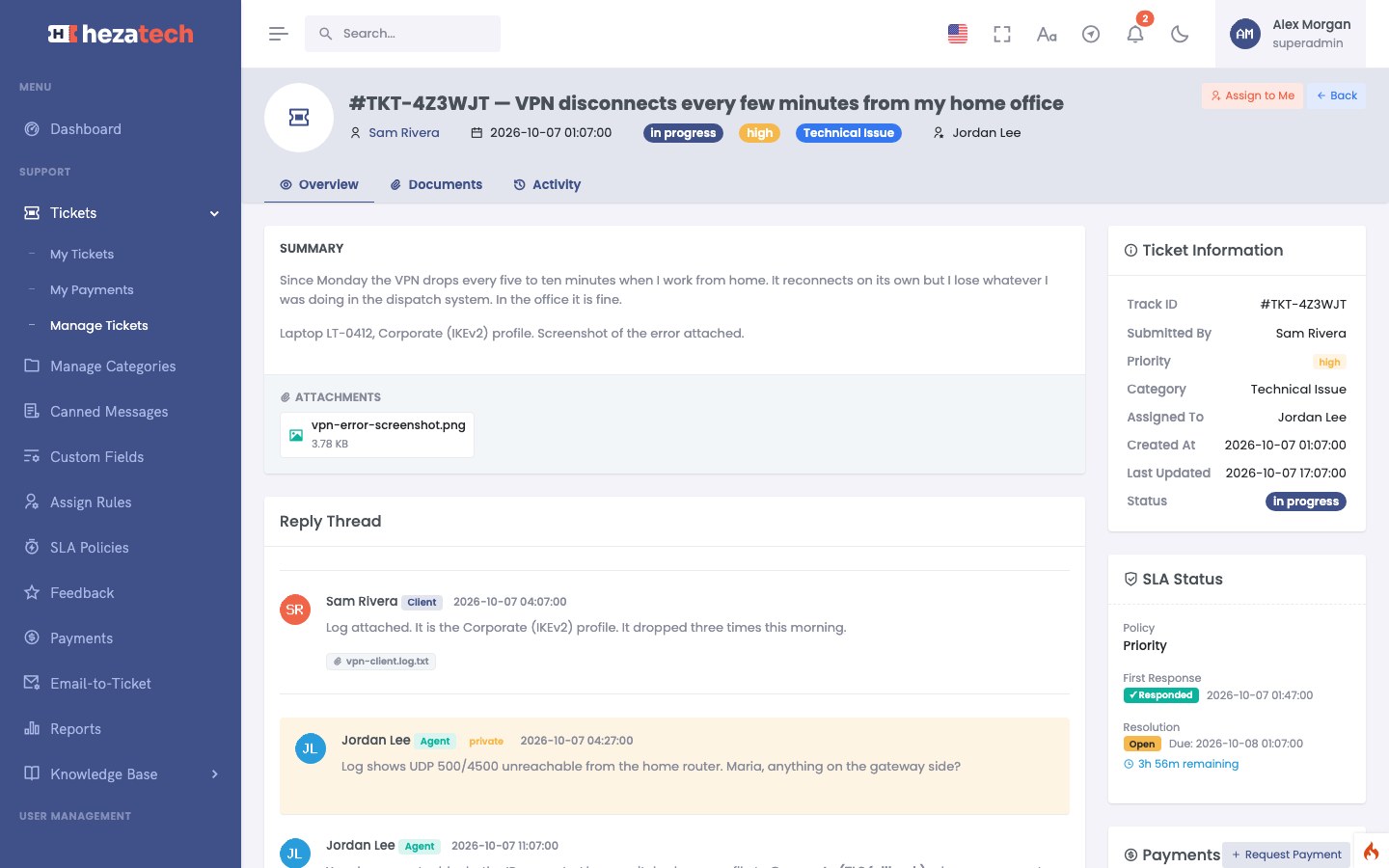
For agents
The whole conversation on one screen
Replies, private notes, attachments, SLA status, payments and the activity log sit next to each other. Agents see what is due, supervisors see the team queue, and nothing gets lost between inboxes.
Public replies and private notes in one thread
SLA countdown on every ticket
Attachments, work logs and payment requests
Status history and audit trail
For your customers
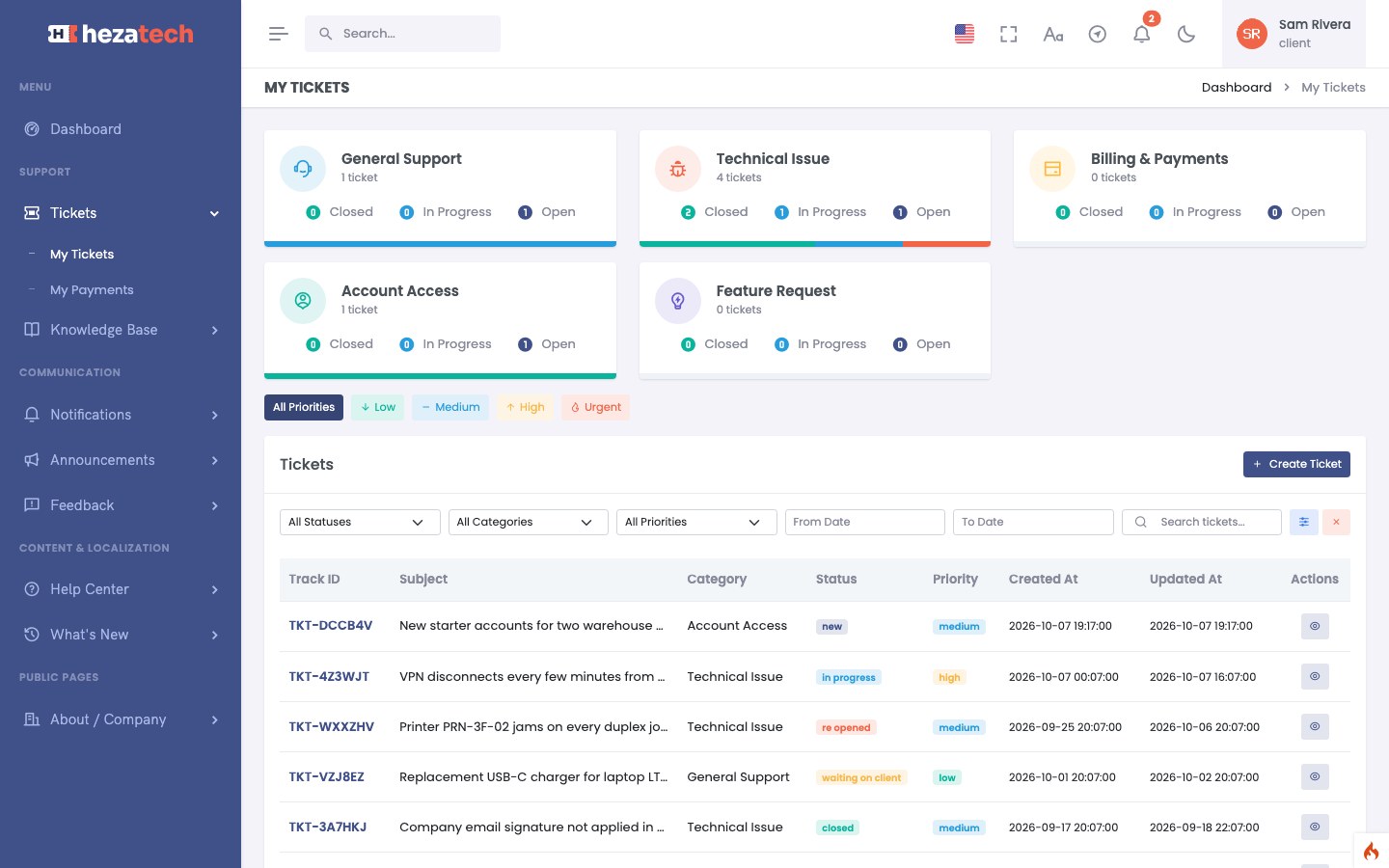
A portal customers can find their way around
Customers open tickets, follow every reply, pay what they owe and browse the knowledge base from one place. Guests can open and track a ticket without an account.
Tickets by category, status and priority
Email updates on every change
Feedback after a ticket is closed
Knowledge base and guest tracking
For managers
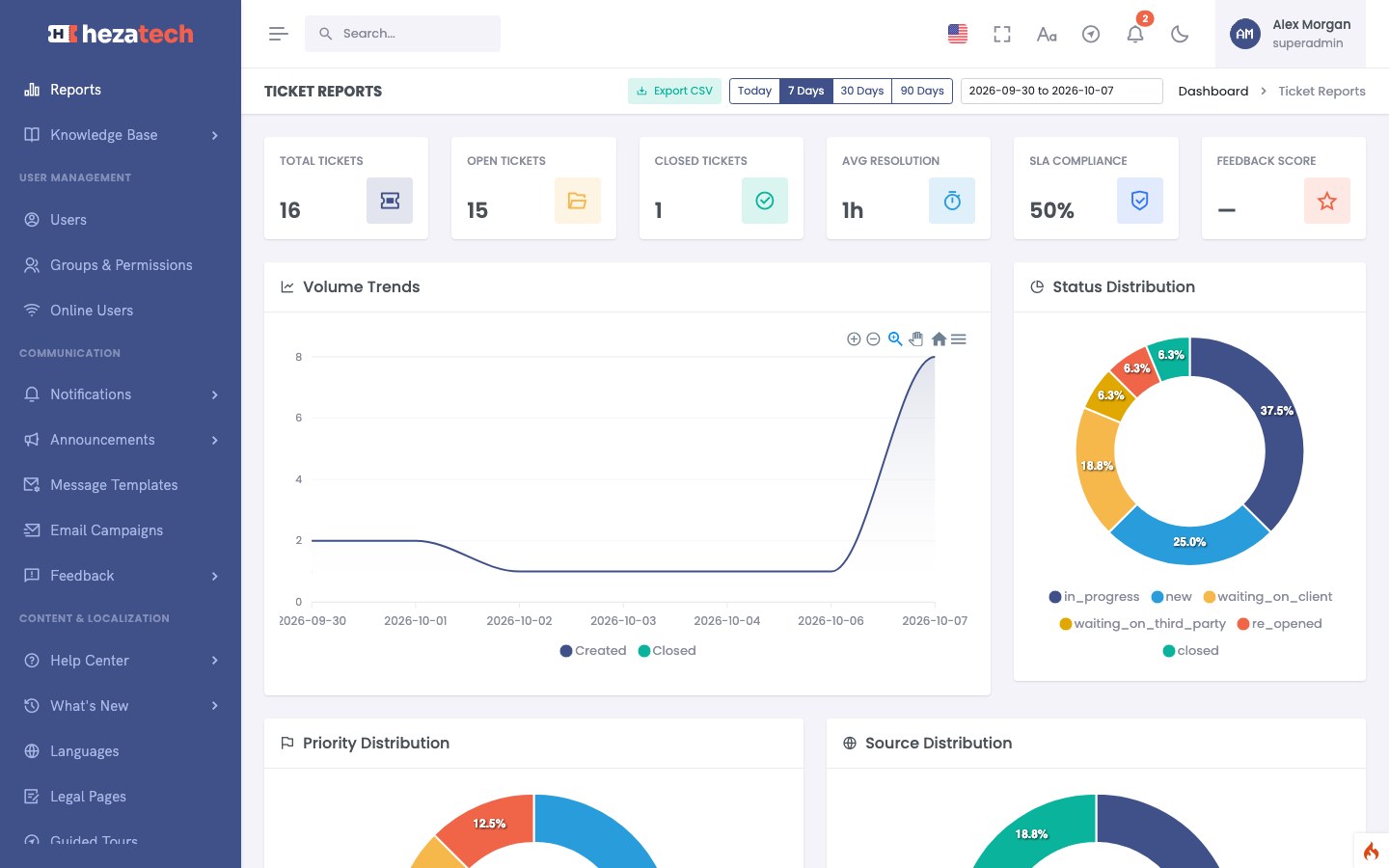
Response times under control
SLA policies set the targets, escalation rules raise the alarm before a target is missed, and the reports show volume, resolution time, compliance and feedback scores per period.
Volume, status and priority trends
SLA compliance and breach report
Per-agent and per-category figures
CSV export of every report
Try the demo in three steps
No sign-up. The demo returns to its starting point on a schedule, so feel free to click everything.

Pick a role
On the sign-in page, choose administrator, supervisor, agent or client. The form fills itself in.
Explore
Work the queue, reply to tickets, check the SLA report, browse the knowledge base or request a payment.
Start again
The countdown in the top bar shows when the data resets. Email and SMS never leave the demo.
Questions about the demo
Anything else? Write to mahdi.hezaveh@icloud.com. That address reaches me, not the demo.
Ready to see it from the inside?
Talk to Hezatech
For licences, prices or a walkthrough, write to mahdi.hezaveh@icloud.com. It is a real mailbox, answered by the person who builds this. The form below is part of the demo: send it, then sign in as the administrator and find your message under Landing Pages → Contact Submissions.